No subwoofer output
There is no dedicated sub out. If you already know you want to build a 2.1 system later, this is a meaningful limitation.
Audio & Calls / Product review
A compact 2.0 desktop speaker for people who want a real step up from basic PC audio without giving up much desk space.
01 / Quick answer
The Edifier M60 is a strong fit for people who want noticeably better everyday desktop audio but do not want large bookshelf speakers dominating the desk.
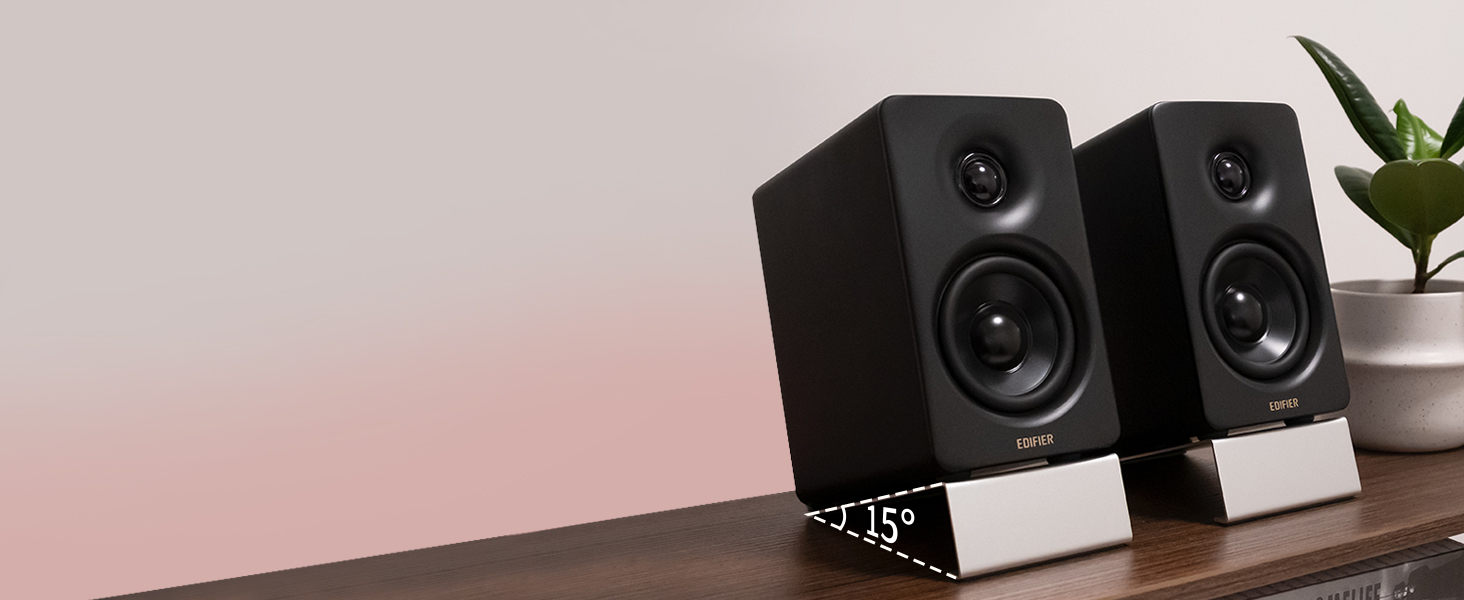
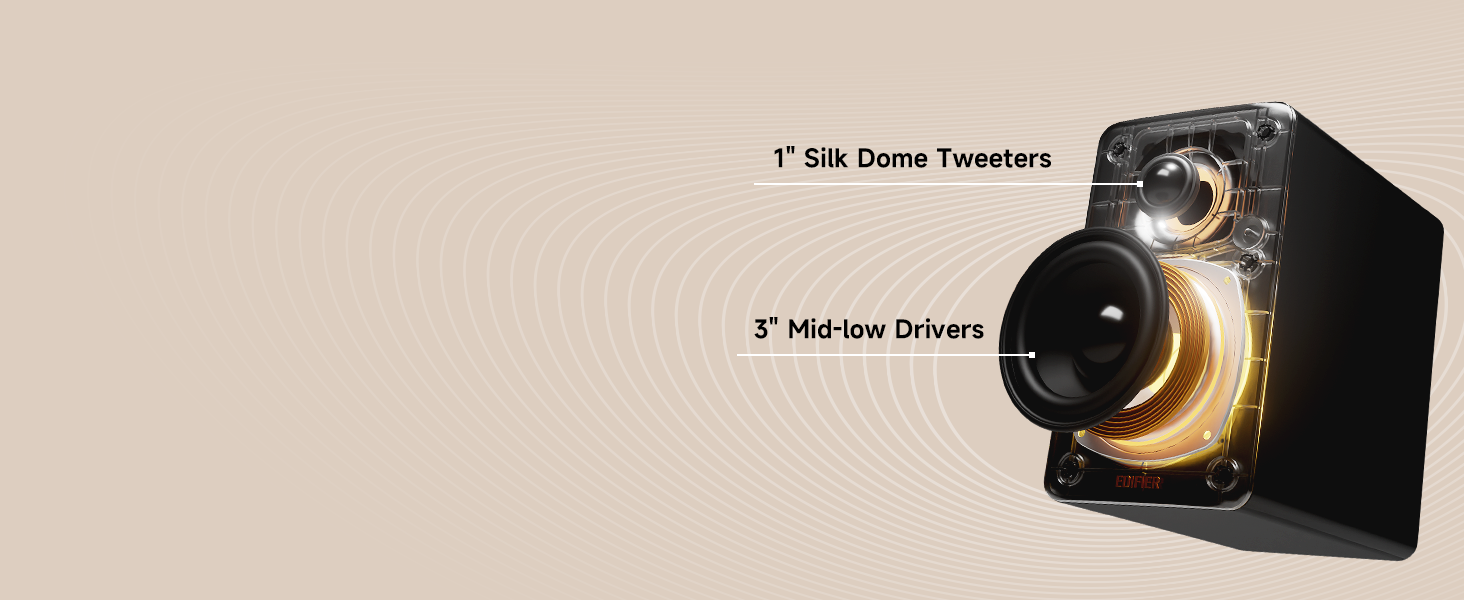
Its main appeal is the balance between size and sound. Each cabinet is roughly 100 x 168 x 147 mm, yet the pair delivers 66W RMS through a two-way design with a 3-inch mid-low driver and 1-inch silk-dome tweeter. USB-C, Bluetooth 5.3 with LDAC, and AUX cover the most common desktop connections, and Edifier includes 15-degree stands that angle the speakers toward the listener.
Independent reviews from Tom's Guide and WIRED both support the same general conclusion: the M60 sounds larger and more capable than its footprint suggests, especially for music and everyday desktop listening. The limits are equally important. There is no remote or subwoofer output, bass depth is still constrained by the small cabinets, and the touch controls plus Edifier ConneX app will not suit everyone. Customer feedback is broadly positive, but some lower-rated reviews describe Bluetooth, USB-C, or source-switching problems.
02 / Fit
The M60 makes the most sense for a desk where space matters, but audio is still part of the workday.
That could mean background music while working, clearer dialogue in training videos, better sound for YouTube and streaming, or simply wanting speakers that feel like a real upgrade from a laptop or monitor. It is especially relevant for people who spend hours at one desk and do not want to wear headphones all day.
The M60 is less compelling if you only need occasional notification sounds or video calls. In that case, a much cheaper pair of PC speakers can solve the basic problem for a fraction of the price.
It is also not the obvious choice for buyers who want to fill a large room, add a subwoofer later, or use the speakers as the center of a TV-focused entertainment setup. Edifier's larger M90 offers more input flexibility and output for that kind of role.
03 / Desk fit
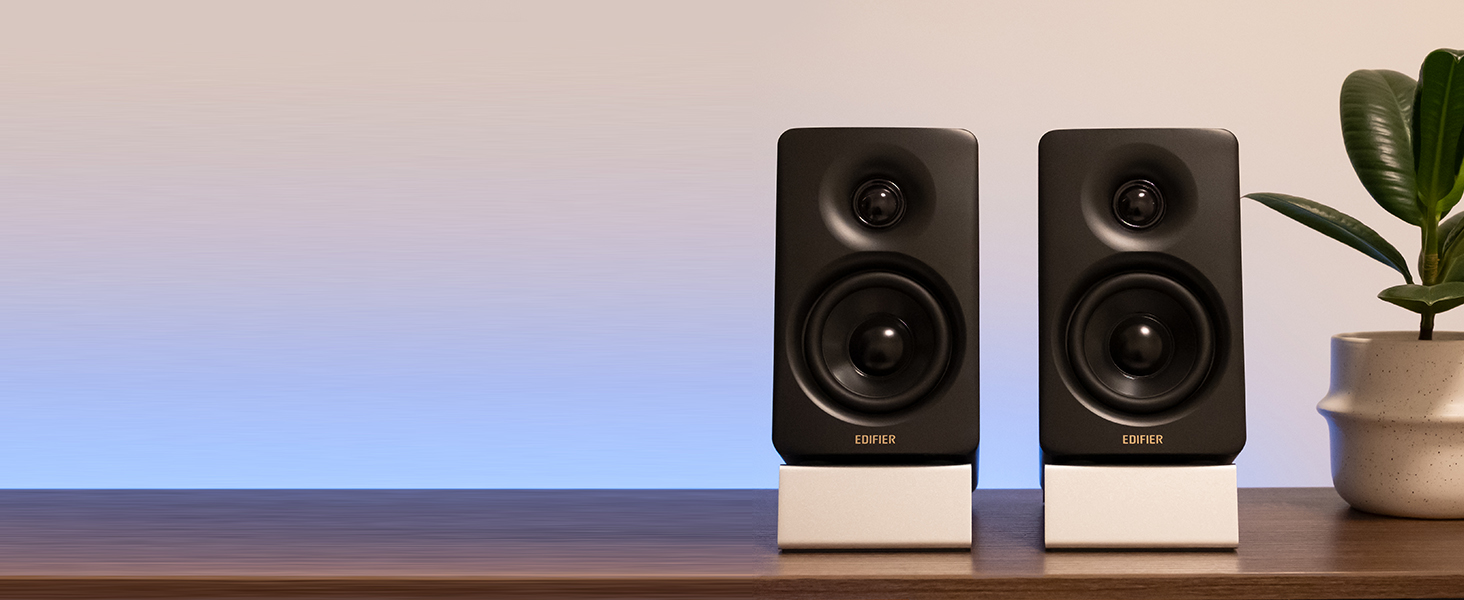
The M60's defining advantage is not one unusual feature. It is how much capability Edifier fits into a genuinely compact stereo pair.
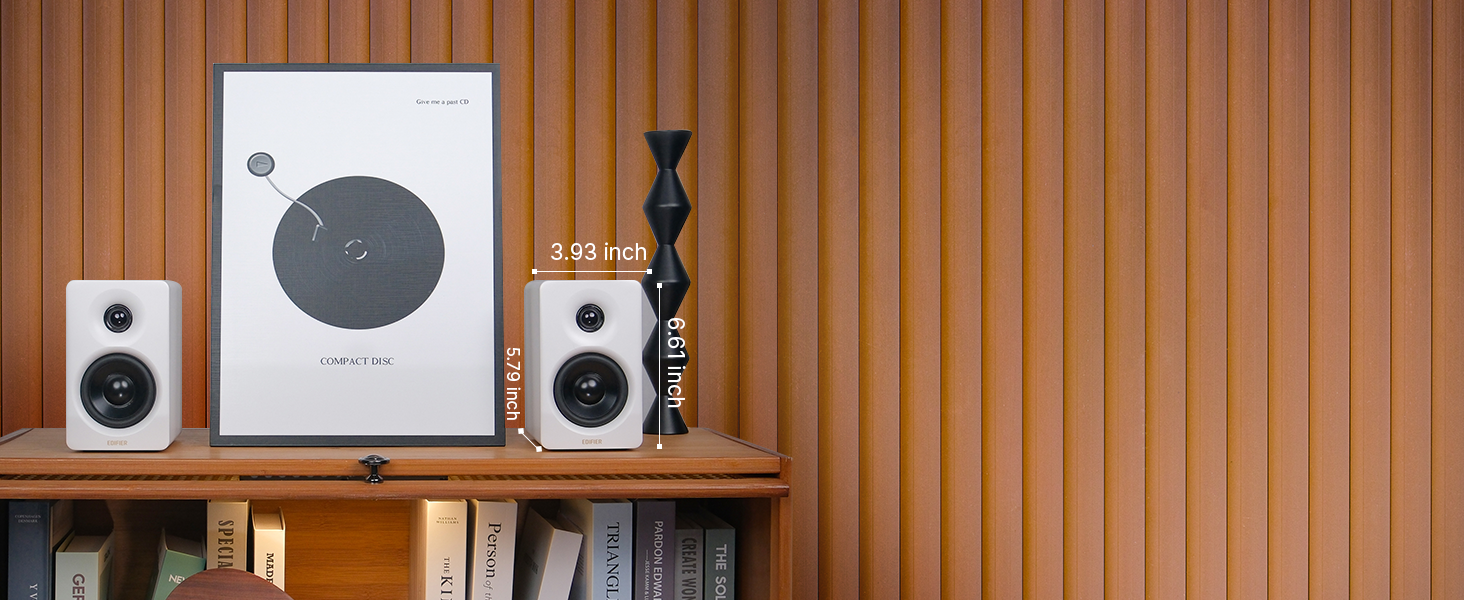
Each speaker is about 3.9 inches wide, 6.6 inches tall, and 5.8 inches deep. That is small enough to sit beside many monitors without forcing a complete desk rearrangement. Edifier also includes angled aluminum stands, which raise the speakers and tilt them 15 degrees toward ear level.
That matters more than it may sound. Desktop reflections and driver angle can change how near-field speakers feel when you are sitting only a few feet away. Tom's Guide found the included stands meaningfully improved the listening position, while Edifier says they are designed to reduce coloration from the desktop surface.
The visual design also helps the M60 fit a work setup. The cabinets are restrained rather than gaming-oriented, and the controls are integrated into the top of the active speaker instead of adding a separate control pod.
The trade-off is that the minimalist design removes some traditional controls. There is no physical volume knob or remote. Whether that feels cleaner or less convenient depends on how you work.
04 / Sound quality
If you are considering the M60 instead of a $30-$60 computer speaker set, sound quality is the reason to justify the price.
The M60 uses a two-way active design: each cabinet contains a 1-inch silk-dome tweeter and a 3-inch long-throw aluminum-diaphragm mid-low driver. The system is rated at 66W RMS total output, with DSP handling the crossover and dynamic-range control.
Independent testing is favorable. Tom's Guide found the M60 unusually full and expansive for such small cabinets, with strong vocal handling and good separation. WIRED also rated the pair highly around the $200 level, describing the sound as rich and clear while noting that heavy bass can become less controlled.
That is the right way to frame the M60: impressive for its size, not magically exempt from the limits of small speakers.
For acoustic music, vocals, podcasts, pop, and normal desk listening, the M60 has enough clarity and body to feel like a substantial upgrade over built-in monitor speakers. It also has proper left-right separation, which a single soundbar or one-box speaker cannot reproduce as effectively when the speakers are positioned well.
Bass is where expectations need to stay realistic. The M60 can sound punchy, but a 3-inch driver in a compact cabinet is not a substitute for a dedicated subwoofer or larger woofer. Tom's Guide wanted more low-end complexity in bass-heavy tracks, and WIRED found the bass could become a little muddy or rattly in demanding material.
If deep low-frequency impact is central to your music, movies, or gaming, the M60 may leave you wanting more.
05 / Everyday use
The M60 is best understood as a desktop all-rounder, not a specialist studio monitor or home-theater system.
For work, dialogue and voices benefit from the clearer presentation compared with many laptop and monitor speakers. That can make long videos, courses, podcasts, and spoken content easier to follow. For music, the stereo layout and two-way drivers give the M60 enough range and separation to feel more engaging than basic PC speakers.
For gaming and movies, the pair can still work well at a desk, but the absence of a subwoofer limits how much physical impact you get from explosions or deep effects. WIRED specifically found the low end more distracting in bass-heavy games and movies than in music.
The practical takeaway is simple:
06 / Connectivity
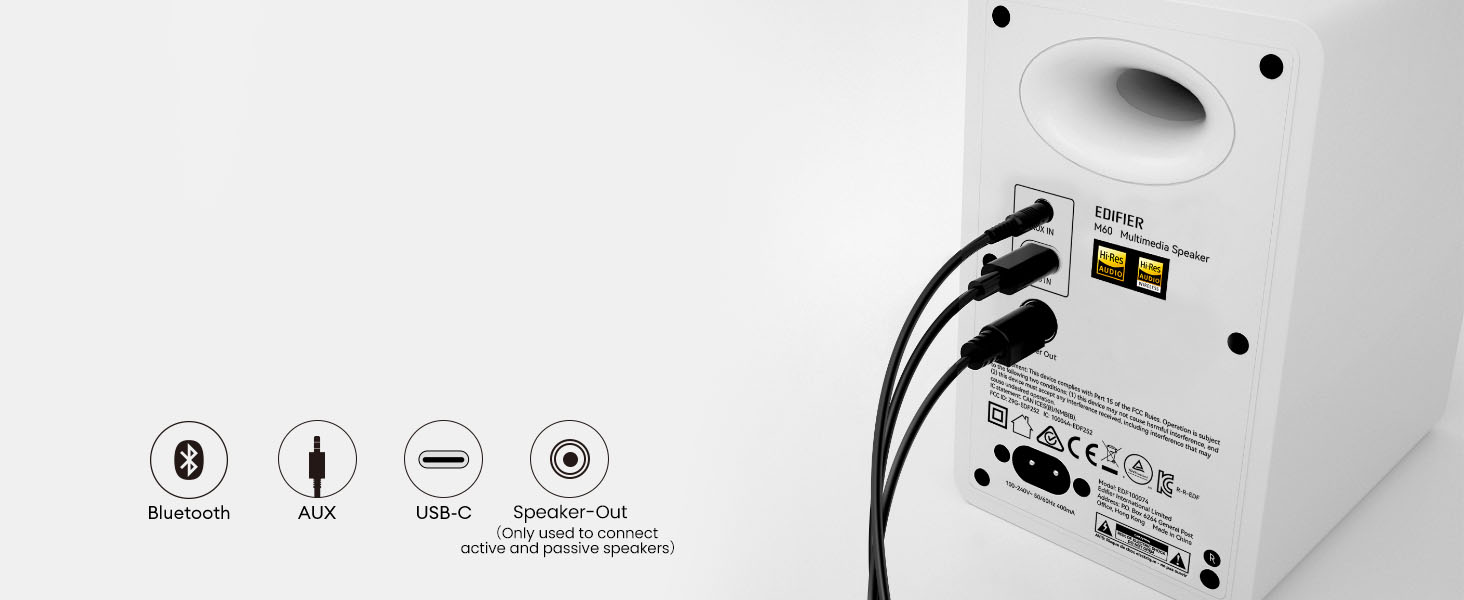
Edifier gives the M60 three inputs:
For a permanent computer setup, USB-C is the most straightforward modern option. It keeps the signal digital and avoids relying on the computer's analog headphone output. If your desktop or laptop already has a convenient USB-C port, this is likely the connection most users should start with.
Bluetooth is more useful when you want to switch to a phone or tablet. The M60 supports SBC and LDAC, with Edifier advertising high-resolution wireless playback on compatible Android devices. That does not mean every Bluetooth source will use LDAC, but the option is there for supported hardware.
AUX remains useful for older computers, docks, turntables with an appropriate line-level output, or any device where a simple analog cable is easier.
The official specification supports USB-C audio and Bluetooth, and many owners report straightforward setup. However, the Amazon feedback collected for this review includes a minority of lower-rated reports involving Mac Bluetooth pairing, USB-C detection, source switching, and speakers that required restarting or reselecting an input.
Those complaints do not outweigh the overall positive rating, but they are worth knowing if your workflow depends on absolutely frictionless switching among several computers.
If you use a Mac, Windows PC, dock, and phone every day, consider whether you prefer a speaker system with a physical input selector or a more explicit multi-source control scheme.
07 / Controls
The M60 replaces a traditional front-facing volume knob with a capacitive touch panel on top of the active speaker.
The panel lights automatically when your hand approaches. You can use touch gestures to control volume and switch functions, which keeps the speaker face visually clean.
This design is one of the most subjective parts of the M60.
Tom's Guide found the controls functional but less intuitive than a remote. WIRED also called the touch controls somewhat annoying. The customer feedback we reviewed includes similar complaints from users who simply wanted a physical knob they could turn without looking or cycling through modes.
That does not make the controls bad. It means the M60 prioritizes appearance and minimalism over tactile certainty.
If you adjust speaker volume frequently throughout the day, this is worth thinking about before buying. If you mostly set a comfortable level and control volume from your computer, the lack of a knob may matter much less.
08 / App
The M60 works with the Edifier ConneX mobile app.
Edifier lists features such as playback control, sound-effect switching, EQ customization, backlight settings, firmware updates, and access to the user manual.
The important point is that the app is an accessory to the speaker experience, not the core reason to choose the M60.
Tom's Guide found the app straightforward but limited, while WIRED reported some flakiness despite useful EQ controls. If you enjoy adjusting sound, the app gives you extra flexibility. If you prefer a plug-and-play desktop speaker, you can still use the M60 without making the app central to your workflow.
09 / Trade-offs
At around $200, it is easy to assume the M60 includes every feature a desktop speaker might offer. It does not.
There is no dedicated sub out. If you already know you want to build a 2.1 system later, this is a meaningful limitation.
The top touch controls and app are the main control methods. Users who sit farther from the desk or want a physical remote should look elsewhere.
The M60 can play surprisingly big for its dimensions, but cabinet size still matters. Larger speakers - or a 2.1 system - can deliver deeper, more physical bass.
For some people this is a small aesthetic detail. For others it changes the daily experience more than any codec or certification.
10 / Evidence
The Amazon data supplied for this review showed the M60 at 4.5 out of 5 from roughly 2,000 global ratings at the time collected, with about three quarters of ratings at five stars.
The strongest recurring positive themes were sound quality, appearance, setup, build quality, volume, and general performance. That broadly aligns with the independent reviews: most buyers appear to be getting a compact speaker that sounds substantially better than its size suggests.
The lower-rated reviews also reveal a few patterns worth keeping visible:
These are not strong enough to justify calling the M60 unreliable overall. They are better understood as minority risk signals within an otherwise positive review base.
The distinction matters. A product can have a strong average rating and still have specific compatibility or quality-control issues that affect certain buyers.
11 / Value
The biggest question is not whether the M60 is better than a $30 speaker set. It usually should be.
The real question is whether you will benefit from what the extra money buys.
Compared with basic PC speakers, the M60 gives you:
If you mostly listen to notification sounds, occasional YouTube videos, and video-call audio, those upgrades may be unnecessary.
If music is part of your workday and you want speakers you can keep on the desk for years, the M60 is easier to justify.
12 / Alternatives
The M90 is the more capable system if your desk also functions as an entertainment center.
It offers more power and a broader connection set, including options such as HDMI eARC and optical input, making it easier to integrate with a TV or more complex setup. The M60 is smaller, simpler, and more focused on near-field desktop use.
For many home offices, the M60 is the more proportionate solution precisely because it does less.
Best Computer Speakers for Work and Home Office →13 / Decision support
14 / Final decision
The Edifier M60 succeeds because it does not try to turn a computer desk into a full hi-fi system.
It gives you a compact stereo pair with genuinely capable sound, modern USB-C and Bluetooth connectivity, good build quality, and a footprint that works in spaces where larger powered speakers become inconvenient.
Its compromises are real: bass depth is limited, there is no subwoofer output or remote, and the touch-control approach is less satisfying for users who want physical controls. A minority of customer reviews also raise connection and quality-control concerns that are worth considering.
But for the right buyer, those limitations do not undermine the core proposition.
If you want better everyday sound without letting the speakers take over your desk, the M60 remains a strong fit.
For the price-and-bass alternative, see our Edifier M60 vs Logitech Z407 comparison.
Check current price →15 / Evidence transparency
Nolmira did not personally hands-on test the M60.
This review synthesizes:
We separate manufacturer specifications, independent testing, and customer feedback rather than treating any single source as definitive.
16 / FAQ
Yes. Compact size is one of its clearest advantages. Each speaker is roughly 100 mm wide and 168 mm tall, and the included stands angle the drivers toward the listener. It is especially well suited to near-field listening at a computer desk.
Yes. USB-C is one of the M60's three main inputs, alongside Bluetooth and 3.5 mm AUX. For a permanent computer setup, USB-C is likely the most straightforward digital connection.
Yes. It uses Bluetooth 5.3 and supports SBC and LDAC. LDAC availability depends on the source device and operating system.
The M60 does not include a dedicated subwoofer output. If adding a subwoofer is part of your planned setup, another speaker system will be easier to build around.
The M60 supports Bluetooth and USB-C audio, so it can be used with compatible Macs. Most feedback is positive, but some lower-rated customer reviews report Bluetooth pairing, USB-C detection, or input-switching issues on particular setups. Buyers who depend on a specific dock or Mac workflow should keep the retailer's return policy in mind.
It can be, if compact size and sound quality are both important. Buyers who simply need external computer audio can spend much less. The M60's value comes from fitting better sound, stereo separation, USB-C, Bluetooth, and a more substantial speaker design into a small desktop footprint.
Considering RCA connections or a future subwoofer? See Edifier M60 vs Audioengine A2+ Gen 3 for the alternative setup trade-offs.