Affiliate disclosure: Some links on this page are affiliate links. Nolmira may earn a commission if you buy through them. Product selection and editorial conclusions are based on available evidence, not commission rates.
Jump to section
Laptop and monitor speakers are convenient, but a dedicated pair can make music, videos, podcasts and other everyday audio more enjoyable. The right choice depends less on finding a universal winner and more on how much desk space you have, what you listen to, and which devices you need to connect.
This is a focused shortlist of four products that represent different trade-offs. It is not an exhaustive survey of every computer speaker on the market, and Nolmira has not personally tested these systems.
Quick answer
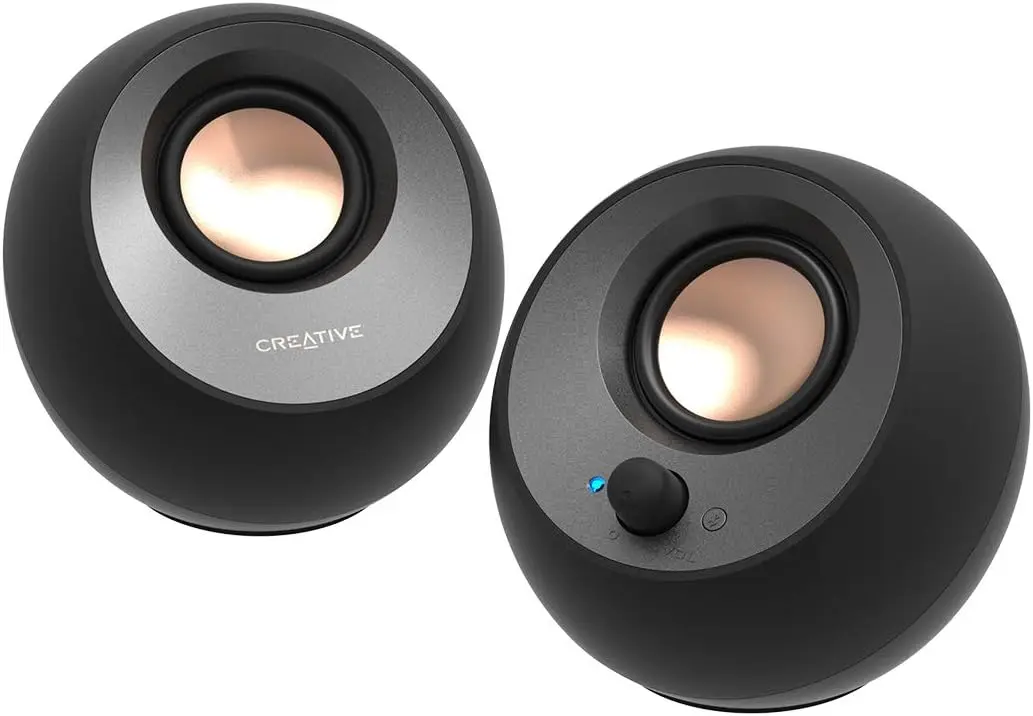
Creative Pebble V3: A low-cost, compact upgrade for basic desk audio, video and speech.
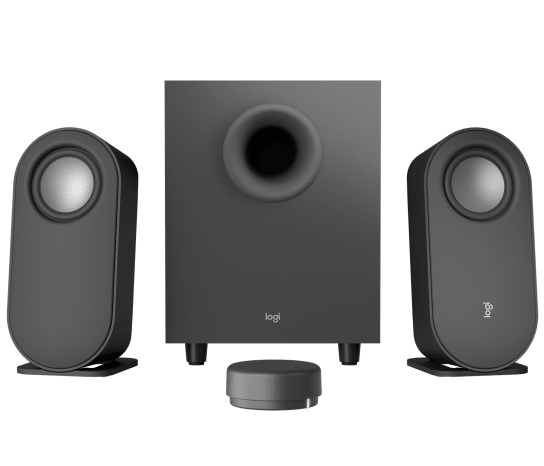
Logitech Z407: A 2.1 system to consider if bass for music, games and movies matters enough to justify a separate subwoofer.
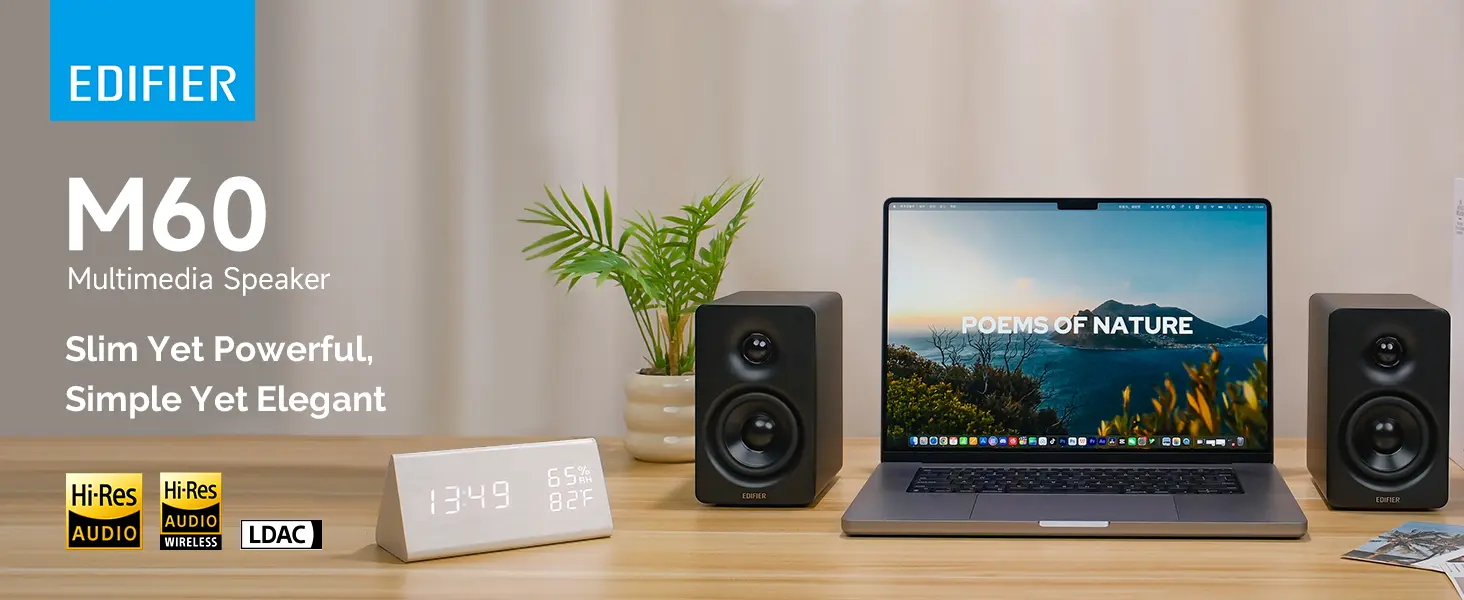
Edifier M60: A compact 2.0 pair for people who spend more on everyday music listening but do not want a subwoofer.
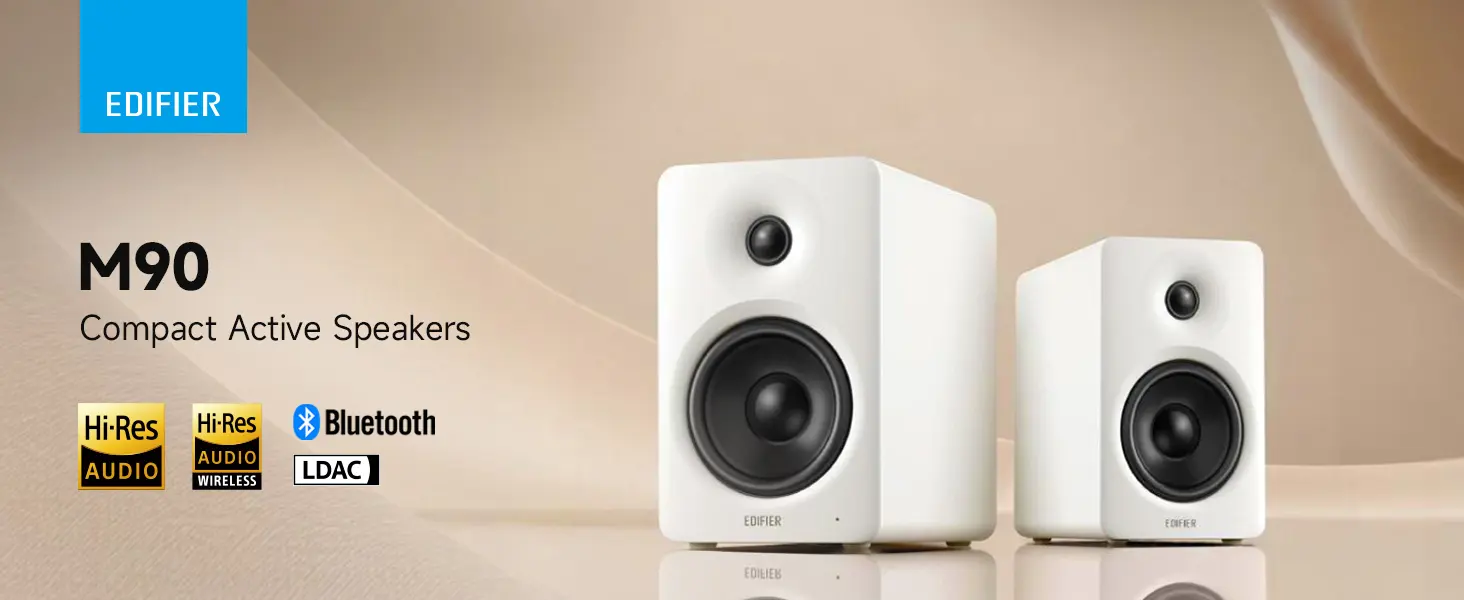
Edifier M90: A more powerful, more connected 2.0 system for people who want one pair to serve a PC and a TV or other entertainment devices.
How we selected these four speakers
We organized the shortlist around four different buying situations rather than ranking every product on one sound-quality scale:
Small budget setup: Compact speakers with straightforward USB audio and Bluetooth.
Bass-first entertainment: A 2.1 system with a dedicated subwoofer.
Compact desktop listening: A more capable 2.0 pair with a small footprint and multiple inputs.
PC plus TV: A system with a wider selection of connections for switching between devices.
For each product, we considered manufacturer-published specifications, available independent professional reviews, connection options, physical space requirements and the practical trade-offs for a work desk. The professional reviews are linked in the product sections and source list below.
The shortlist does not claim to cover the whole market. These four products were chosen to illustrate distinct use cases; they were not selected through a documented, exhaustive comparison of every competing model. Edifier appears twice because the M60 and M90 serve different needs: the M60 prioritizes compact desktop use, while the M90 adds more power and connections for mixed PC and TV use.
Evidence limits: Nolmira did not personally test these speakers or perform laboratory measurements. Manufacturer specifications are identified as such; performance comments are attributed to named independent reviews. Marketplace reviews were also consulted during research, but the available project notes do not record a consistent sample size, collection date or sampling method. We therefore do not use those comments to estimate defect rates or present them as representative statistics.
Compare the four options
Speaker
US manufacturer-store price snapshot*
System and rated output
Inputs
Space to allow for
Best fit
Creative Pebble V3
$39.99
2.0; up to 8W RMS under the manufacturer's specified power conditions
USB audio/power on a compatible computer, Bluetooth 5.0, 3.5 mm AUX
Two small speakers; manufacturer-listed dimensions are 123 × 120 × 118 mm per speaker
Basic work audio on a small budget
Logitech Z407
$129.99
2.1; 40W RMS / 80W peak, including a 20W RMS subwoofer
Bluetooth, Micro-USB and 3.5 mm AUX; wireless control dial
Two satellites plus a separate subwoofer; the subwoofer measures 240 × 234 × 180 mm (H × L × D)
Music, games and movies where bass matters
Edifier M60
$199.99
2.0; 66W RMS total
USB-C, 3.5 mm AUX, Bluetooth 5.3 with LDAC
Two speakers; each is 100 × 168 × 147 mm (W × H × D)
Compact desktop listening with more audio capability
Edifier M90
$369.99
2.0; 100W RMS total
USB-C, HDMI eARC, optical, AUX, Bluetooth 6.0 with LDAC; subwoofer output
Two larger cabinets; active speaker 133 × 212 × 225 mm and passive speaker 133 × 212 × 210 mm (W × H × D)
A combined PC, music and TV setup
*Prices are snapshots from the manufacturers' US storefronts checked on October 26, 2026. They are not guaranteed Amazon prices and may change by retailer, region or promotion. Dimensions are reproduced from the linked manufacturer specifications; the source pages do not all use the same dimension order, so check the linked listing before measuring a shelf or desk. Rated power figures are manufacturer specifications, not a direct ranking of sound quality.
1. Creative Pebble V3: a simple upgrade for a small desk
Best for: Podcasts, training videos, everyday computer audio and background listening on a limited budget.
The Creative Pebble V3 is a compact 2.0 system. On a compatible computer, its USB connection can carry audio and power; it also supports Bluetooth 5.0 and a 3.5 mm AUX input. Creative rates it at up to 8W RMS when used with a suitable 10W USB-C source or the specified 5V/2A power source and high-gain setting.
That simple setup is its main advantage. There is no separate subwoofer to place under the desk, and the speakers take up less room than larger bookshelf-style models.
In its Creative Pebble V3 review, Tom's Guide found the speakers capable for their size and price, with clear voices and useful everyday performance. The review also identified limited bass as a key compromise. The review was published in November 2021, so treat it as an independent assessment of this model rather than a current comparison against every 2026 alternative.
What the trade-off means
For speech-heavy use—such as video calls you listen to, online courses, podcasts and casual video—the Pebble V3 covers the basics without adding much hardware. It is less suitable if you want bass-heavy music, a larger soundstage or sound that fills a room.
Choose it if: You want a straightforward, low-cost alternative to built-in laptop or monitor speakers.
Look elsewhere if: Music quality and low-frequency impact are central to your purchase.
Best for: People who use their desk for music, gaming and movies as well as work.
The Logitech Z407 uses a 2.1 layout: two satellite speakers plus a separate down-firing subwoofer. Logitech specifies 40W RMS total output, including 20W RMS for the subwoofer, and 80W peak output. Connections include Bluetooth, Micro-USB and 3.5 mm AUX. A wireless control dial handles volume and other playback functions.
The subwoofer is the defining difference from the other three products in this guide. It adds dedicated low-frequency hardware, which may suit music, games and movies better than a pair of very small speakers. It also adds another box, cables and placement decisions. The satellites are relatively small, but the complete system is not a minimal two-speaker setup.
In its Logitech Z407 review, TechRadar praised the system's bass and value while noting that the soundstage was good rather than exceptional and that the wireless control dial could take some getting used to. The review was updated in February 2024, with an original review date in 2021.
What the trade-off means
The Z407 makes more sense when entertainment is a meaningful part of the setup and you have somewhere to put the subwoofer. If the desk is very small, cable-minimal or used mainly for meetings and speech, the extra hardware may not be worth it.
Choose it if: You want a dedicated subwoofer and a system that can serve music and movies after work.
Look elsewhere if: You want the smallest footprint or do not want to allocate space for a separate bass unit.
3. Edifier M60: compact speakers for everyday listening
Best for: People who listen to music throughout the workday and want compact speakers without a separate subwoofer.
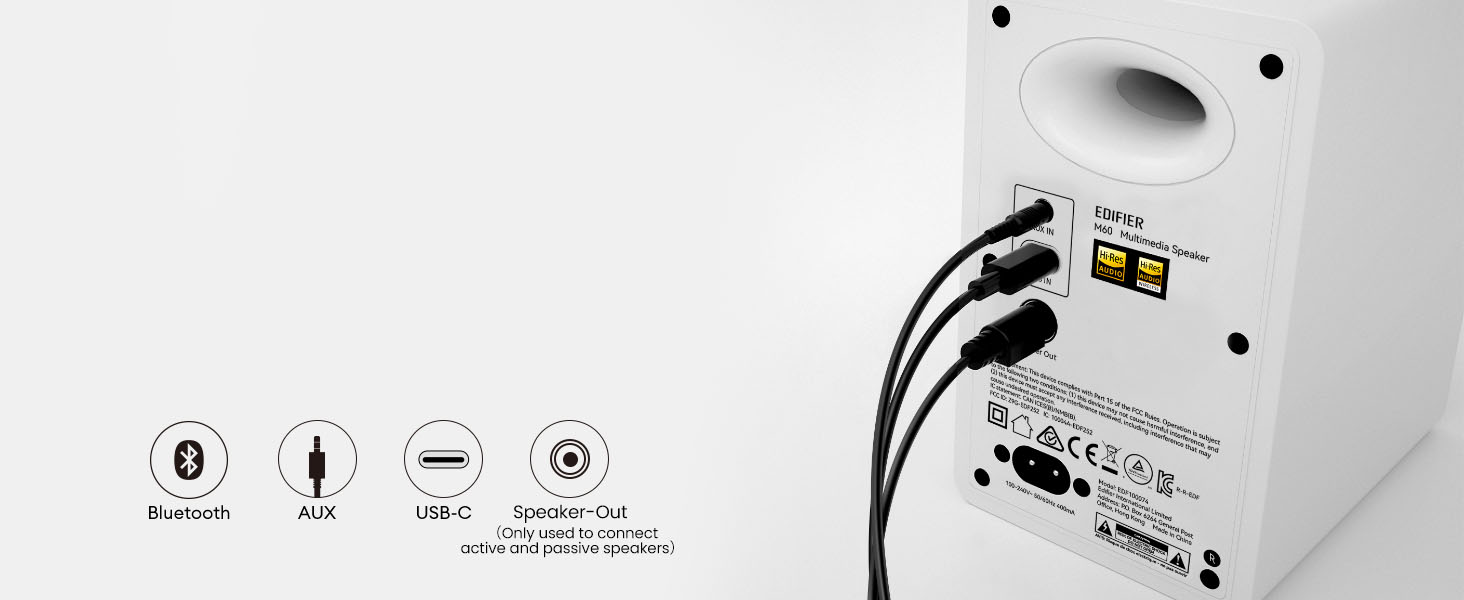
The Edifier M60 is a 2.0 desktop system rated at 66W RMS total. Each speaker uses a 1-inch silk-dome tweeter and a 3-inch aluminum mid-low driver. Inputs include USB-C, 3.5 mm AUX and Bluetooth 5.3 with LDAC support. Edifier includes angled aluminum stands intended to direct sound toward the listener.
The M60 occupies a different position from the Pebble V3. It costs considerably more, but its larger drivers, rated output and additional features are aimed at buyers who care about music and everyday listening—not just making computer audio louder. The speakers remain relatively compact and do not require a separate subwoofer.
WIRED's 2026 computer-speaker guide describes the M60 as producing rich, clear sound for its size and price, with decent bass for a system without a subwoofer. WIRED also notes that bass can become muddy or rattly in some listening situations, and that the touch controls and companion app are not ideal for every user. These are the reviewer's observations, not results from Nolmira's own testing.
What the trade-off means
The M60 is a reasonable candidate if music quality is important but you still want a compact desktop setup. It is harder to justify if you mainly need speech to be audible during work or rarely listen to music. Buyers who strongly prefer a physical volume knob should also consider the touch-control design before choosing it.
Choose it if: You want a compact 2.0 pair for workday music and general listening, with USB-C, AUX and Bluetooth options.
Look elsewhere if: You only need a basic audio upgrade, want a dedicated subwoofer, or prefer physical controls.
Best for: People who want to connect a desktop computer, TV and other audio sources to one speaker pair.
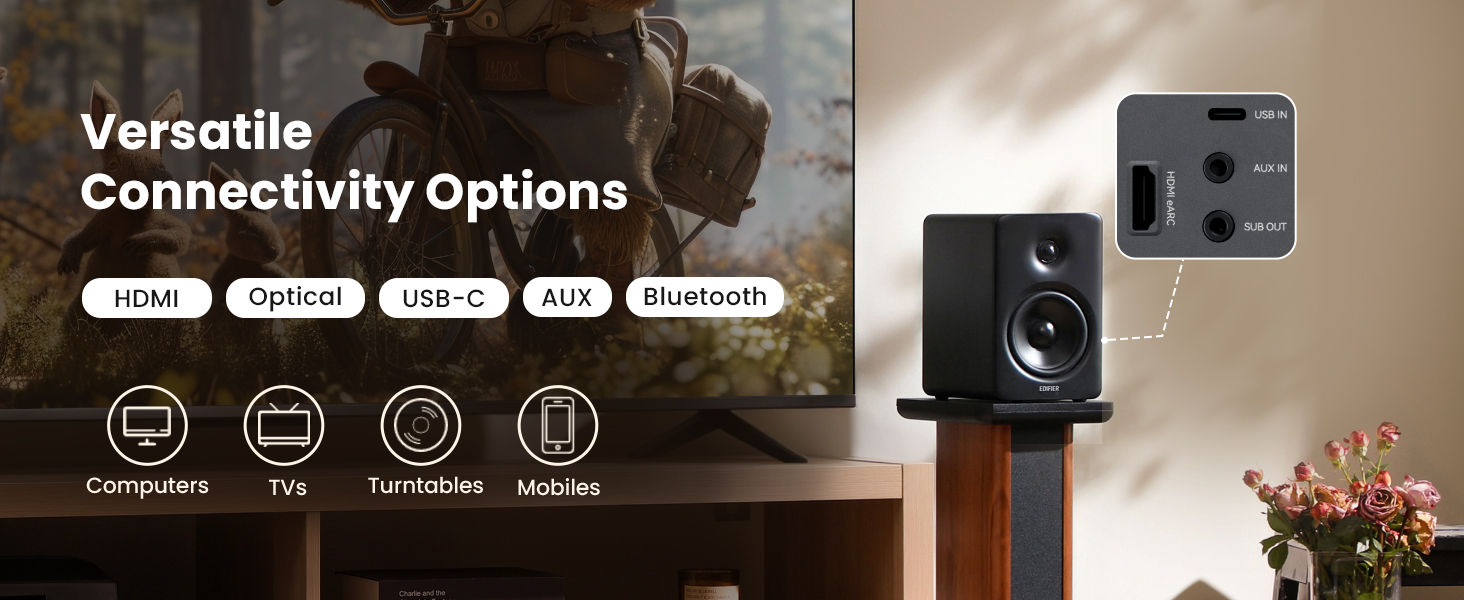
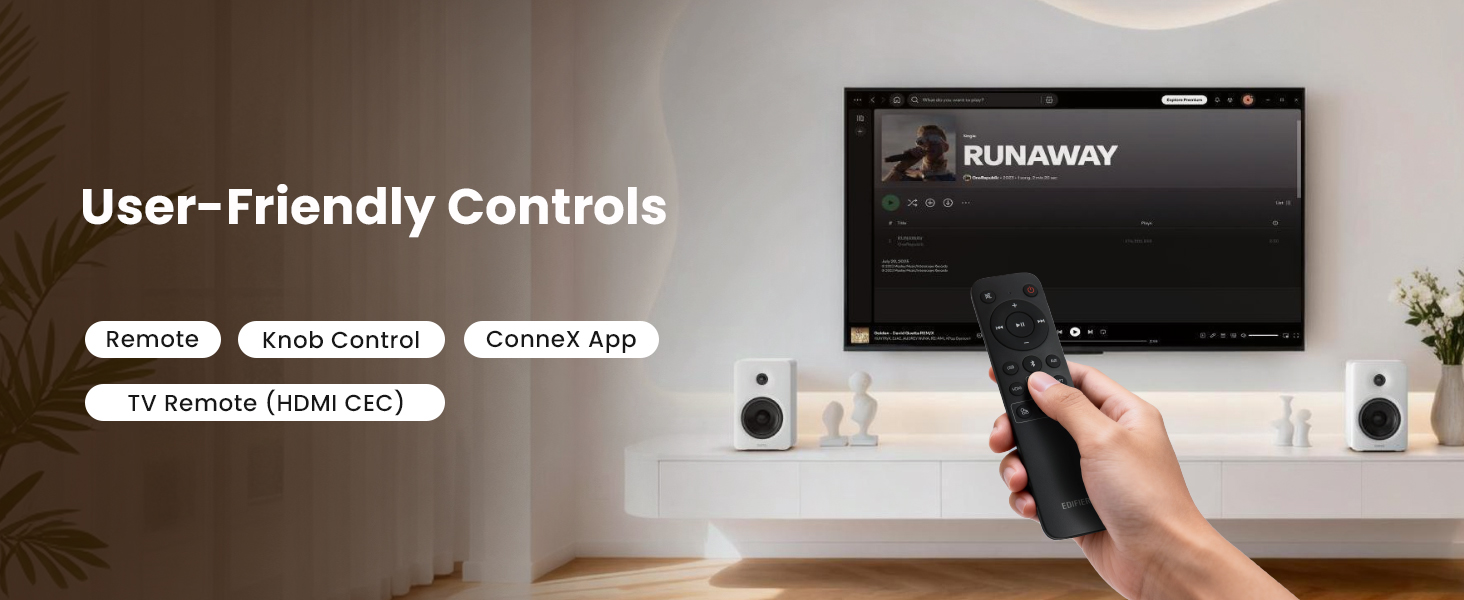
The Edifier M90 is the most capable and expensive system in this shortlist. Edifier specifies 100W RMS total output, 4-inch aluminum mid-bass drivers and 1-inch silk-dome tweeters. Its inputs include USB-C, HDMI eARC, optical, AUX and Bluetooth 6.0 with LDAC support. It also has a subwoofer output and comes with a remote control.
Its main distinction is connectivity. HDMI eARC can make the M90 useful as a TV speaker system as well as a desktop pair, while USB-C, optical, AUX and Bluetooth cover other common sources. It does not include a dedicated subwoofer, but its subwoofer output allows for one to be added separately.
Both SoundGuys' M90 review from March 2026 and TechRadar's M90 review from May 2026 highlight its broad connectivity and versatility. SoundGuys praised its sound and TV-friendly features. TechRadar also found its bass and range of connections appealing, while noting that similarly priced rivals can compete on pure audio performance and that the app is relatively basic.
What the trade-off means
The M90's extra connections are useful only if you will use them. If the speakers will stay connected to one laptop, much of the value of HDMI eARC, optical input and the remote may go unused. The larger cabinets also need more room than the Pebble V3 or M60.
Choose it if: You want a single speaker system for a PC, TV, games and music, and its connection options justify the higher cost.
Look elsewhere if: Your needs are limited to near-field laptop audio or you would rarely use the extra inputs.
Do not judge size from a product photo alone. Allow for the width and depth of both speakers, their angle toward your listening position, and any stands or cables. A 2.1 system also needs space for the subwoofer. Check the manufacturer's dimensions against your actual desk before ordering.
2. Match the inputs to your devices
One computer: USB audio may be the simplest option when the computer supports it.
Computer and phone: Bluetooth is useful when you want to switch between devices.
Computer and TV: HDMI eARC or optical input can be useful, depending on the TV's outputs and your setup.
Older or analog sources: Check whether the system has the AUX input you need.
Do not assume every USB-C port supports the same audio functions. Check compatibility for your computer, operating system and intended connection before buying.
3. Decide whether you need a subwoofer
A 2.0 system uses two speakers. A 2.1 system adds a dedicated subwoofer, which can provide more low-frequency output but requires additional space and cabling. For speech, online learning and ordinary background listening, a subwoofer is optional. It becomes more relevant if bass-heavy music, games or movies are a priority.
4. Do not choose by wattage alone
The products in this guide have different rated power outputs, driver sizes, designs and intended uses. A larger RMS number is not, by itself, proof that a speaker sounds better. Treat power as one specification to understand alongside independent listening reviews, connectivity, room size and placement.
5. Separate speaker output from microphone quality
External speakers affect what you hear. They do not improve the microphone signal that other people hear during Zoom, Teams or other meetings. If your main problem is that colleagues cannot hear you clearly, evaluate your microphone and call setup separately.
Frequently asked questions
Are computer speakers worth buying if my monitor already has speakers?
They can be worthwhile if you regularly listen to music, videos, podcasts or other speech-heavy content. Whether the improvement justifies the cost depends on your current speakers and how much you care about everyday audio quality.
Do I need a subwoofer for a home office?
No. A subwoofer is most useful when bass-heavy music, movies or games are important. For normal work, meetings and background listening, a 2.0 pair is often the simpler setup.
Is Bluetooth good enough for computer speakers?
Bluetooth is convenient for connecting a phone or switching sources. A wired connection may be more convenient for a permanent desk setup if you want to avoid pairing steps. Check the device compatibility and connection options that matter for your workflow.
Which specifications should I check before buying?
Start with physical dimensions, required inputs, whether a subwoofer is included, control type and compatibility with your computer or TV. Then use independent reviews to understand the likely strengths and limitations. Specifications alone cannot establish how a speaker will sound in your room.
Sources and evidence
The following sources support the specifications and professional-review summaries in this guide. Manufacturer specifications describe product claims; independent reviews report the reviewers' own assessments. Neither is a substitute for a direct head-to-head test by Nolmira.
Editorial boundary: This is a scenario-based shortlist, not an exhaustive market ranking. Nolmira has not personally tested these products. We do not claim to have measured their sound, verified every compatibility combination or established product-failure rates from marketplace comments.