Best Laptop Power Banks for Work & Travel
Compare capacity, charging outputs, and carry trade-offs for a mobile laptop setup.
Read the comparison →Work · Travel & Work / Review
Last updated: October 2026
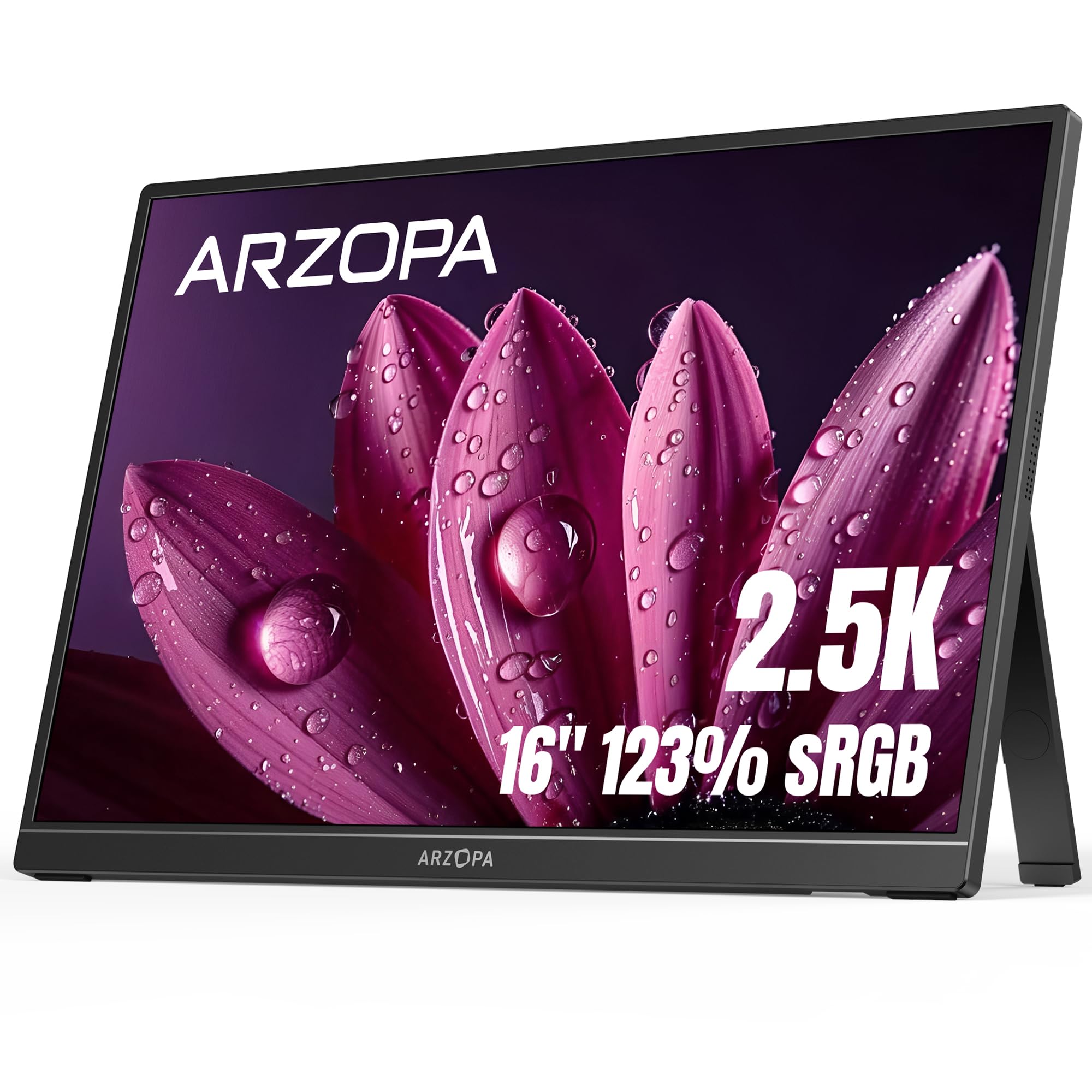
Portable monitors are easy to find. Portable monitors that feel like a meaningful upgrade from a basic 1080p second screen are less common.
The ARZOPA Z1RC combines a 16-inch 2560×1600 display, taller 16:10 workspace, built-in stand, and USB-C connectivity at a price that stays well below many premium business monitors. Its strongest appeal is simple: more usable screen detail without giving up the convenience of a portable display.
Testing note: Nolmira has not personally long-term tested the ARZOPA Z1RC. This review evaluates the product using the current Amazon listing, manufacturer-provided A+ materials, and recurring patterns in verified-purchase feedback.
01 / Review
The ARZOPA Z1RC makes a strong case for laptop users who want a portable second screen that feels noticeably sharper than a typical 1080p model. Its 2560×1600 resolution, 16:10 aspect ratio, and 16-inch panel are especially useful for documents, spreadsheets, browser windows, and other productivity work.
Its biggest compromise is not the display—it is long-term physical durability. Owner feedback is strongly positive about display quality, value, brightness, and portability, while stand and durability complaints appear more often in lower-rated reviews.
For home office, hybrid work, and careful travel, the Z1RC offers a compelling balance of screen quality and price.
02 / Review
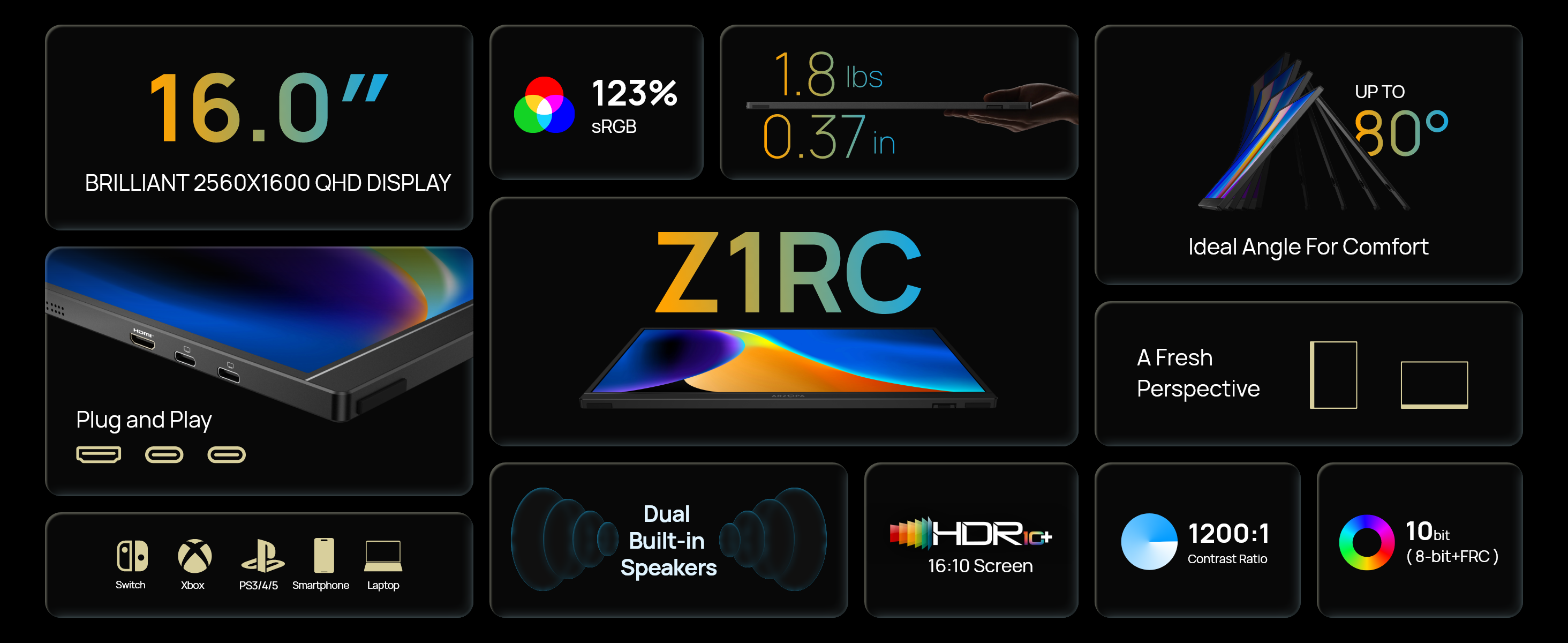
| Feature | ARZOPA Z1RC |
|---|---|
| Screen size | 16 inches |
| Resolution | 2560 × 1600 |
| Aspect ratio | 16:10 |
| Panel | IPS |
| Refresh rate | 60Hz |
| Color gamut | 123% sRGB claimed |
| Brightness | 350 nits claimed |
| Connectivity | USB-C + Mini HDMI |
| Stand | Built-in adjustable stand |
| Weight | About 1.8 lb claimed |
| Primary strength | Sharper portable productivity display |
| Best for | Laptop work, home office, hybrid setups, occasional travel |
| Main trade-off | Stand / long-term durability feedback |
| Amazon rating at research time | 4.3 / 5 from 1,292 ratings |
| Price observed | $124.99 |
The listing also showed 1K+ purchases in the previous month at the time of research, giving the Z1RC a considerably larger owner base than many obscure portable-monitor alternatives.
03 / Review
There are cheaper portable monitors. That alone does not make them better value.
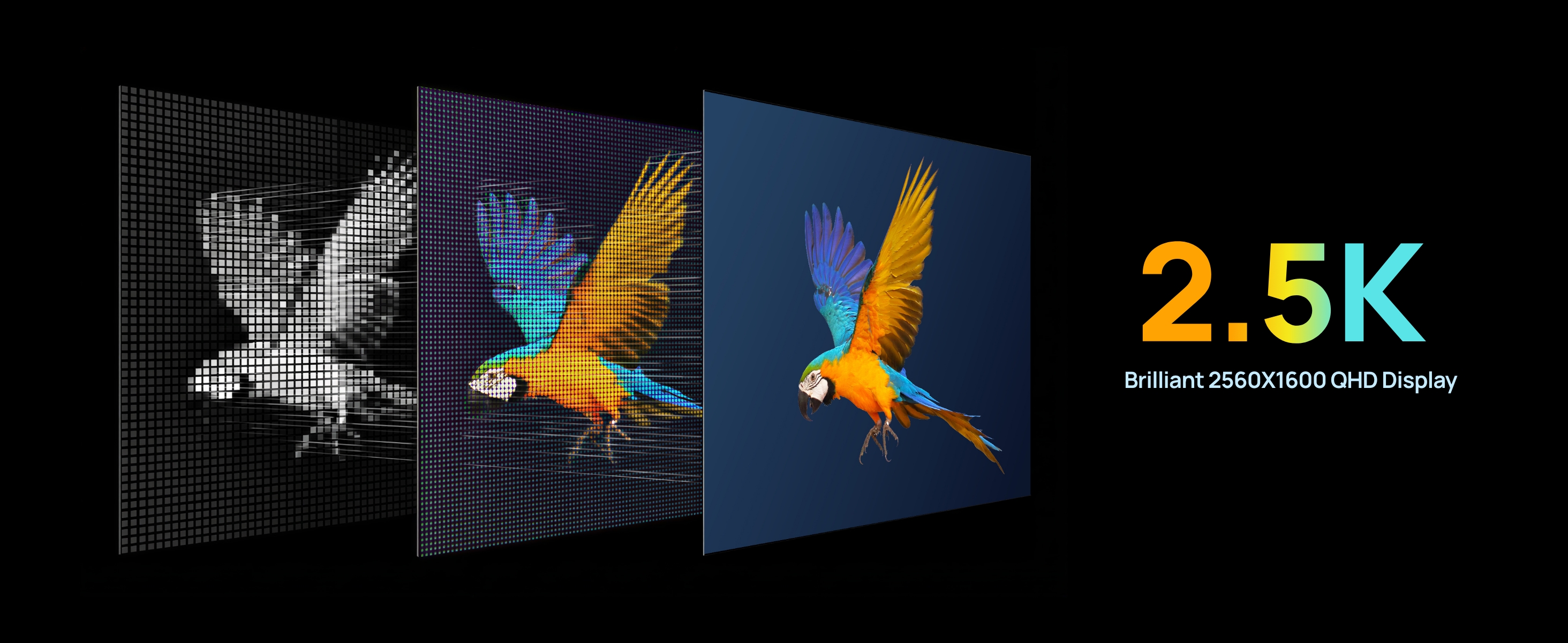
A large part of the portable-monitor market still revolves around 15.6-inch or 16-inch 1920×1080 panels. That resolution is perfectly usable for a second screen, but once you place one next to a modern laptop with a sharper display, the difference can become obvious—particularly with text.
The Z1RC uses a 2560×1600 panel. That gives it considerably more pixels to work with than a standard Full HD screen.
For productivity, the benefit is not simply that “2.5K sounds better.” It is that smaller interface elements, text, spreadsheets, documents, and browser windows have more visual information available to them.
That matters when the portable monitor is not just playing a video in the background, but functioning as a real extension of your laptop workspace.
Amazon's customer summary supports this as one of the Z1RC's clearest strengths. Display quality is one of the strongest positive themes, with owners frequently describing the screen as sharp and clear.
That is where the Z1RC earns its price.
04 / Review

Resolution gets most of the attention, but the 16:10 aspect ratio is arguably just as relevant for laptop productivity.
Compared with a conventional 16:9 display, 16:10 gives you additional vertical space. That is useful for documents, spreadsheets, long webpages, research, email, coding, dashboards, and side-by-side windows.
It also pairs naturally with many modern productivity laptops that already use taller displays.
The difference is not dramatic enough to transform your workflow by itself, but combined with 2560×1600 resolution, it gives the Z1RC a more work-oriented feel than a basic portable entertainment display.
The Z1RC works best as an actual second workspace, not simply an extra screen.
05 / Review
One useful thing about the Z1RC's Amazon feedback is that the positive themes line up closely with the product's main selling point.
At the time of research, the listing showed 4.3 / 5 from 1,292 global ratings, with 71% five-star ratings.
Amazon's summarized feedback highlighted positive sentiment around quality, display quality, value for money, portability, brightness, and included cables. By contrast, performance and durability were presented as mixed.
That distinction matters. The evidence does not suggest that buyers are broadly disappointed with what the screen looks like. Quite the opposite: image clarity appears to be one of the most consistently appreciated parts of the product.
That makes the Z1RC easier to recommend if screen quality is your main reason for upgrading beyond a cheap 1080p portable monitor.
06 / Review
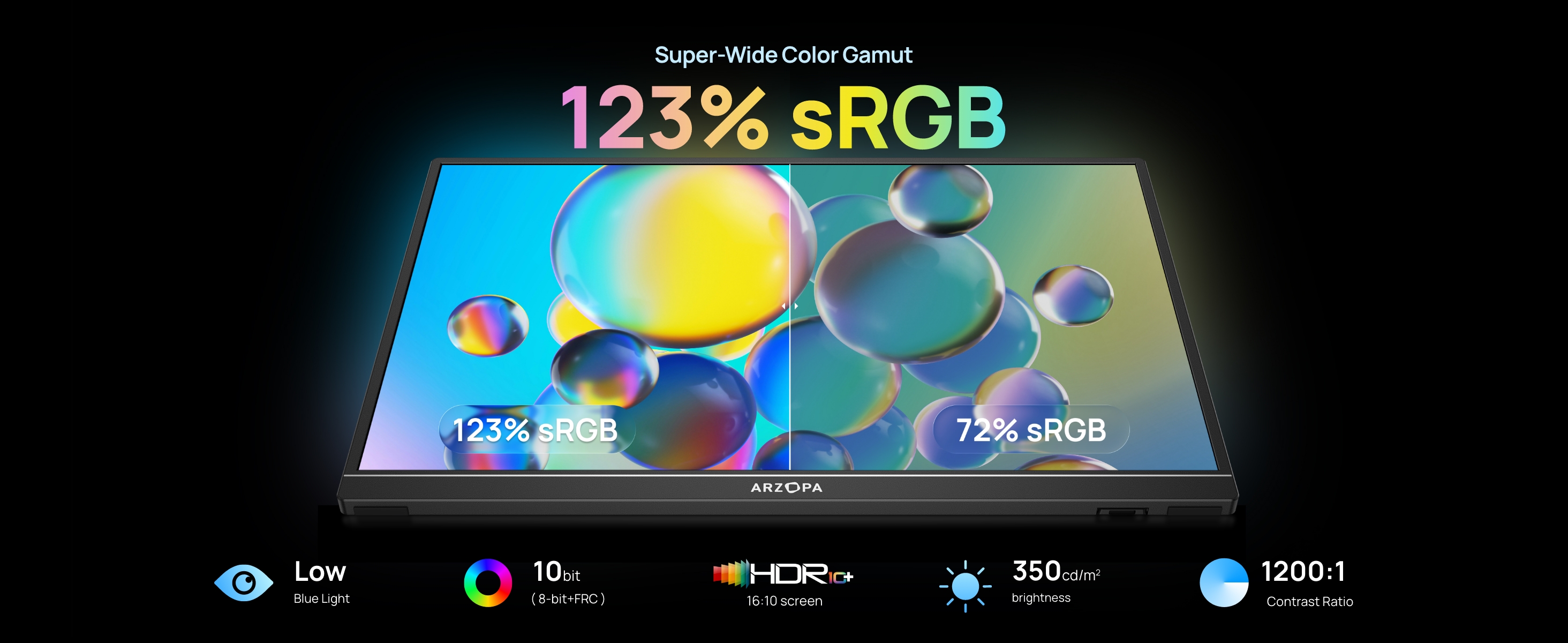
ARZOPA advertises the Z1RC at 123% sRGB. That does not automatically make it a professional color-reference monitor, and a manufacturer gamut figure is not proof of factory calibration.
But it does reinforce the product's positioning. This is not being sold purely as the cheapest second screen that can display a spreadsheet. ARZOPA is pairing the higher resolution with a wider claimed color gamut.
For general productivity, content consumption, light creative work, photo browsing, and mixed laptop use, that gives the Z1RC a broader use case than a bare-bones office display.
If your main goal is professional color-critical work, prioritize independently verified calibration and color accuracy instead.
For everyone else, the value argument is simpler:
You are getting a sharper, more visually capable portable display without moving into a much more expensive monitor category.
07 / Review
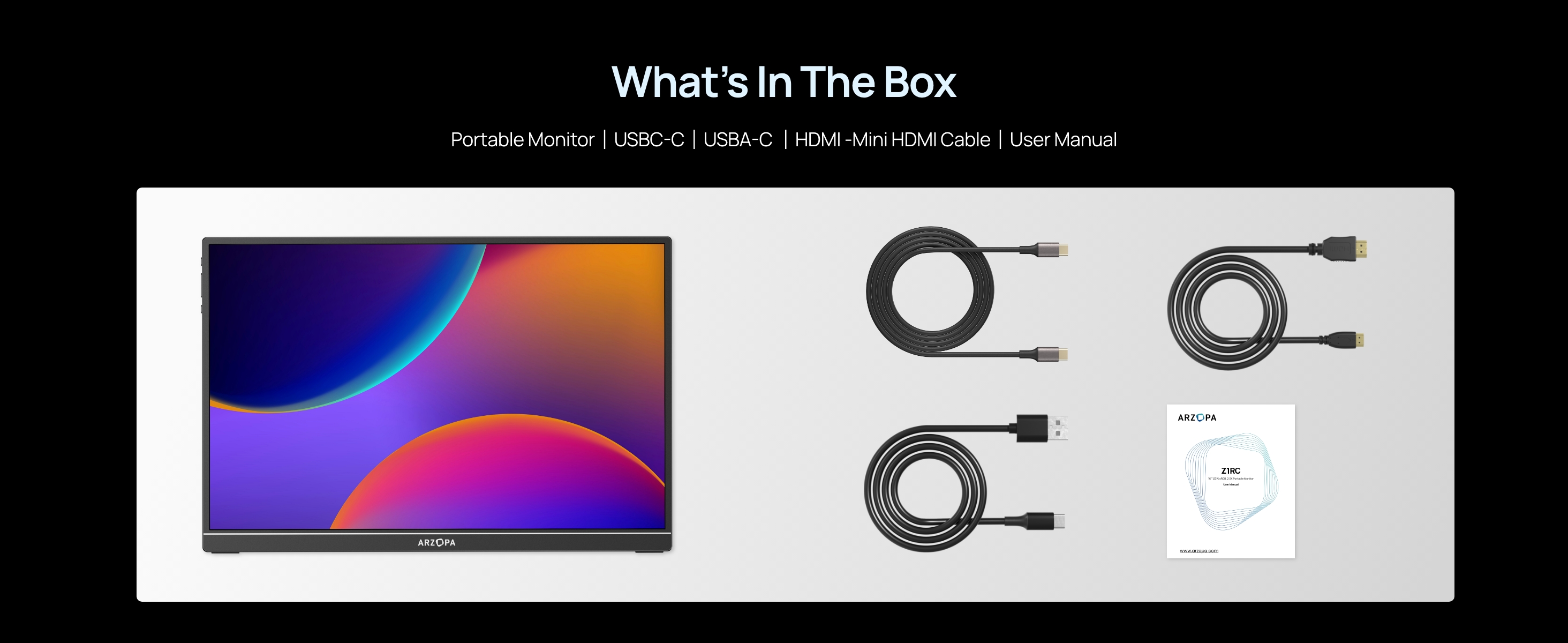
The Z1RC supports USB-C and Mini HDMI connectivity.
For compatible laptops, USB-C is the connection that makes a portable monitor feel genuinely portable. Instead of treating the second display like a miniature desktop monitor with several permanent cables, a compatible USB-C laptop can provide a much cleaner setup.
That is particularly useful for laptop desks, hybrid work, temporary workspaces, hotel desks, shared offices, and moving between rooms at home.
The important caveat is that not every USB-C port supports video output. A USB-C connector alone does not guarantee that a laptop can drive an external display through that port.
Some lower-rated owner feedback also describes USB-C compatibility or intermittent connection problems with specific computers. Those reports are worth knowing about, but they do not outweigh the broader product experience.
The practical takeaway is straightforward:
Check that your laptop's USB-C port supports DisplayPort Alt Mode before buying primarily for one-cable USB-C use.
If it does, the Z1RC makes much more sense as a compact second-screen setup.
08 / Review
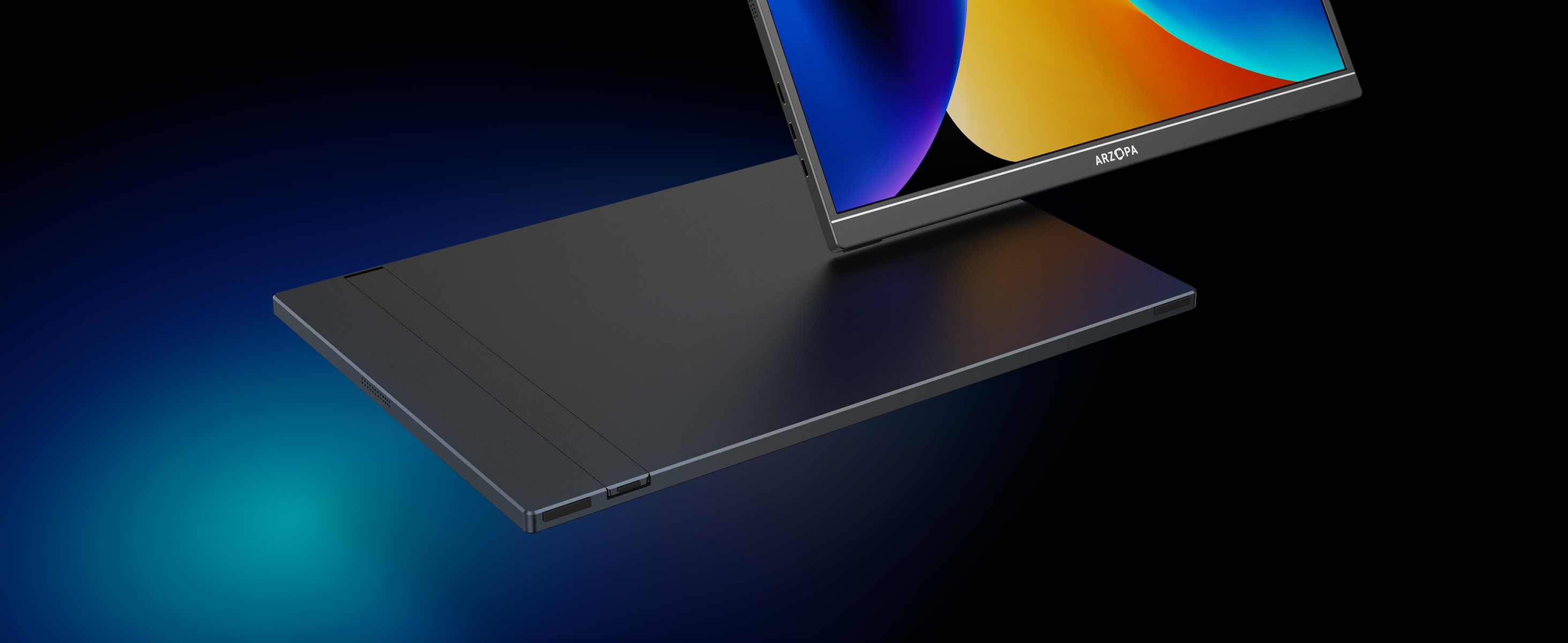
The built-in stand is one of the Z1RC's more convenient design decisions. You do not have to carry a separate folding cover just to hold the display upright, and the stand gives the monitor a cleaner desktop footprint.
For home-office use, that is useful.
But this is also where the lower-rated feedback becomes relevant. Across the negative reviews supplied for this research, recurring complaints include stand or hinge failures after months of use, the rear support separating, the screen becoming harder to position, and other physical durability problems after repeated movement.
These are not universal experiences. The Z1RC still maintains a strong overall Amazon rating, and many owners explicitly praise its quality and portability.
The better way to interpret the evidence is:
Portable does not necessarily mean rugged.
The Z1RC is easy to move. That is different from saying it is designed to absorb constant travel abuse.
If you mainly move it between home and office, between rooms, or occasionally inside a padded laptop bag, the design makes sense. If you fly every week and expect the monitor to be packed, unpacked, bumped, compressed, and repositioned constantly, we would be more cautious.
09 / Review
Several owners specifically mention the absence of a protective case or cover.
That matters more here because the Z1RC is marketed as a portable display. A laptop already protects its screen when closed. A standalone monitor does not.
The built-in stand solves the “how do I prop it up?” problem, but it does not solve the “how do I protect the panel in my bag?” problem.
This does not make the Z1RC a bad portable monitor. It simply means that anyone planning to travel with it regularly should budget for a proper padded sleeve or rigid protective case.
Given the durability feedback, that is something we would consider part of the purchase rather than an optional accessory.
10 / Review
ARZOPA's A+ materials rate the display at 350 nits, while Amazon's customer-feedback summary lists brightness as a positive theme. That is encouraging for normal indoor use.
Some individual reviewers still describe the screen as dim compared with brighter laptop displays. Both things can be true.
A portable monitor does not need to match a premium MacBook or high-end laptop panel to be useful, but users coming from a very bright primary display may notice the difference when the two screens sit side by side.
For home offices, hotel rooms, classrooms, indoor coworking spaces, and normal desk lighting, brightness does not appear to be one of the Z1RC's major weaknesses.
The more important reason to buy this model remains resolution and workspace, not maximum brightness.
11 / Review
Lower-rated reviews include reports of intermittent black screens, USB-C connection issues, failed panels, power-related behavior, and compatibility problems with particular devices.
Those reports should not be ignored, but they need to be interpreted proportionally.
The Z1RC has more than a thousand ratings and a 4.3-star average, while Amazon's aggregated customer feedback still identifies display quality, general quality, value, portability, and brightness as positive themes.
So the reasonable conclusion is not that the Z1RC is broadly unreliable. It is that the screen quality and price are the main reasons to buy it, while long-term hardware durability deserves more caution than the display itself.
For a sub-$150 portable 2.5K display, that is a trade-off many buyers may reasonably accept.
12 / Review
This is the most important buying question.
ARZOPA itself sells cheaper 1080p portable monitors. So why spend more on the Z1RC?
For those jobs, 1080p is usually enough.
At the $124.99 price observed during this review, the upgrade is easier to justify because the Z1RC is not positioned like an ultra-premium portable monitor.
You are paying more than ARZOPA's cheapest screen, but you are getting one of the features you are most likely to notice every time you sit down to work:
a sharper display with more usable workspace.
13 / Review
The product listing also promotes console and gaming compatibility. That is useful flexibility.
But we would not make gaming the main reason to buy the Z1RC. Its refresh rate is 60Hz, while ARZOPA sells other models with 144Hz and 180Hz refresh rates.
So if competitive gaming is your priority, those models are more logically aligned with the use case.
The Z1RC is more convincing when you prioritize resolution, workspace, text clarity, portability, and then occasional entertainment or gaming.
That gives the model a clear role:
Z1RC is the productivity-oriented ARZOPA portable monitor, not the gaming-first one.
14 / Review
This is its clearest use case. The 2.5K panel gives the monitor a stronger reason to exist beside a modern laptop than a basic Full HD screen.
The 16:10 format works particularly well for documents and productivity.
The combination of 2.5K resolution and its observed price is the Z1RC's strongest value argument.
It is easy enough to move without needing a permanent desktop-monitor setup.
Especially if your laptop supports video output over USB-C.
15 / Review
Repeated stand and durability complaints make us more comfortable recommending it for careful portability than hard-use travel.
ARZOPA's higher-refresh models are better suited.
A cheaper 1080p model may provide everything you actually need.
Some negative reviews describe frustrating warranty or support experiences. Buyers prioritizing long-term service infrastructure may prefer paying more for an established mainstream monitor brand.
A wide advertised gamut is not the same thing as independently verified calibration.
16 / Review
The strongest part of the Z1RC is that its advantages are visible in normal use.
You do not need a specialized workflow to benefit from higher resolution, a taller 16:10 canvas, a 16-inch workspace, and USB-C connectivity. Those are practical upgrades.
And customer feedback reinforces the same point: display quality is one of the most consistently praised parts of the product.
That is more compelling than a portable monitor whose main advantage only exists on a specification sheet.
17 / Review
The main compromise is physical confidence over the long term.
The display itself is the reason to buy the Z1RC. The stand and chassis are the parts we would treat more carefully.
That distinction helps put the negative reviews into context.
If you want a screen that will live mostly on a desk and occasionally move with you, the trade-off is easier to accept. If you need a piece of equipment that will survive constant mobile work, the calculation changes.
18 / Review
The ARZOPA Z1RC is one of the more compelling ways to move beyond a basic 1080p portable monitor without jumping into premium pricing.
Its 2560×1600 resolution and 16:10 workspace are the features that matter most. They make the Z1RC particularly attractive for laptop users who spend their day reading, writing, researching, working in spreadsheets, or managing multiple windows.
The strongest owner feedback supports that positioning: display quality, value, portability, and brightness are recurring positives.
The trade-off is durability. Stand and long-term hardware complaints appear often enough that we would protect the monitor carefully and would not position it as rugged frequent-travel gear.
But for the right use case, that does not erase the value proposition.
If your priority is getting a sharper, more useful second screen for laptop work without paying premium-brand prices, the ARZOPA Z1RC makes a strong case.
19 / Review
Best for: Laptop users who want a sharper second screen for productivity.
Why it stands out: 2560×1600 resolution + 16:10 workspace at a relatively accessible portable-monitor price.
Good fit for: Home office, hybrid work, documents, spreadsheets, research, light creative work, and occasional travel.
Main trade-off: The display receives strong feedback, while the stand and long-term durability deserve more caution.
Verdict: A strong value upgrade over basic 1080p portable monitors if display clarity matters more than rugged construction.