CZUR ET Max
Best for frequent thick-book scanning
Fast overhead workflow, A3 support and OCR.
Travel & Work Gear / Home office & study tools
The best book scanner depends less on megapixels and more on what you are scanning.
If you regularly digitize thick bound books, an overhead scanner can save a lot of page handling. If you only scan a few textbook pages now and then, a regular flatbed may be all you need.
Recommendations are based on product fit and available evidence, not commission rates.
01 / Quick picks
We compared five different scanning approaches around the things that actually change the decision: book thickness, scanning volume, page handling, OCR, image quality, desk space and budget.
Best for frequent thick-book scanning
Fast overhead workflow, A3 support and OCR.
Best for students and small workspaces
Foldable, portable overhead design.
Best for fragile or awkward originals
Contactless scanning from above.
Best for a book-friendly flatbed
Book-edge design reduces spine problems.
Best for occasional pages
Low-cost general-purpose scanning.
| Product | Best for | Main reason | Main trade-off |
|---|---|---|---|
| CZUR ET Max | Frequent scanning of thick bound books | Fast overhead workflow, A3 support and OCR | Expensive and takes more desk space |
| CZUR Shine Ultra | Students and smaller workspaces | Foldable, portable overhead design | Less suited to demanding thick-book workloads |
| Ricoh ScanSnap SV600 | Fragile or awkward materials | Contactless scanning | Expensive and not very portable |
| Plustek OpticBook 4800 | People who prefer a flatbed | Book-edge design reduces spine problems | A4 only and more manual page handling |
| Epson Perfection V39 II | Occasional book pages | Low-cost general-purpose scanner | Inefficient for complete books |
02 / What matters
The more difficult the binding, the more valuable overhead capture and reliable page correction become.
Searchable PDFs and OCR archives do not always need the same strengths as artwork and photographs.
Twenty pages per month and five hundred pages per book should not lead to the same purchase.
Large textbooks, newspapers and art books may require A3 support.
A scanner that never fits comfortably into your workspace is not a good fit.
03 / Workflow decision
| If you care most about… | Better starting point |
|---|---|
| Scanning complete books quickly | Overhead scanner |
| Avoiding pressure on book spines | Overhead / contactless |
| Fragile or unusual originals | Contactless overhead |
| Traditional image capture | Book-edge flatbed |
| Occasional pages + photos + documents | Regular flatbed |
| Keeping cost low | Regular flatbed |
Neither design is universally better. An overhead scanner solves a book-handling problem. A flatbed makes more sense when the book is only one of several things you scan.
04 / Before you choose
A dedicated book scanner makes more sense when the workflow itself has become the problem.
If you mostly scan documents, photos and a few textbook pages, a conventional flatbed may offer better value.
The key question is not: Which scanner has the highest specification? It is: What part of scanning books is currently slowing you down?
Nolmira may earn a commission from qualifying purchases through some links on this page, at no extra cost to you. Affiliate relationships do not determine which products we include or which use cases we believe they fit.
05–09 / Product fit
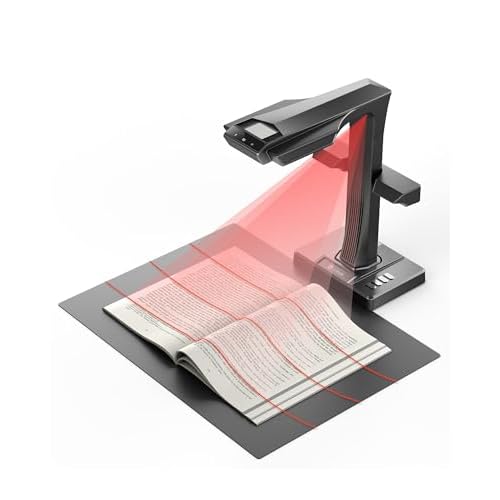
The ET Max is built around a fast face-up book-scanning workflow. Its overhead design means you can leave a book open on the desk instead of repeatedly turning it onto a glass bed. Manufacturer documentation lists A3-class scanning, curve correction, OCR and fast capture as core features.
That matters most when you are digitizing whole books, not just individual pages.
Independent reviews generally support the ET Max as a strong document and book-digitization tool, particularly when OCR and throughput matter. They also point to an important limitation: software curve correction is useful, but not perfect. Tightly bound books can still require repositioning or rescanning.
Independent testing also suggests that its strongest use case is text and document digitization, rather than high-fidelity photo or artwork reproduction.
You gain faster whole-book scanning, less physical handling, an OCR-focused workflow and support for larger material. You give up desk space, a lower purchase price and some of the predictability of traditional flatbed image capture.
Choose the ET Max if you regularly think: “Scanning this entire book page by page on a normal flatbed is taking too long.”
Check Current PriceAffiliate link. Price may change.
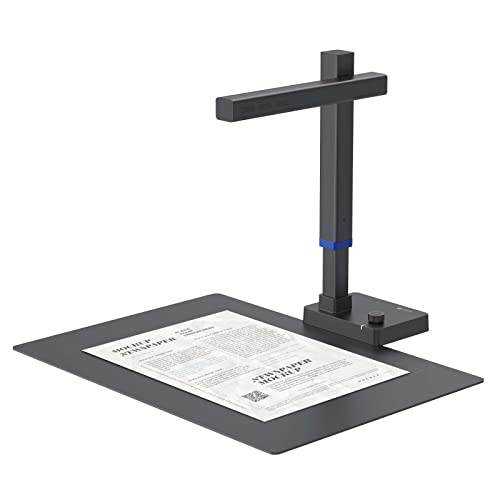
The Shine Ultra takes the overhead concept and makes it easier to store and move. Its foldable design gives it a different role from the ET Max. It is better suited to someone who scans textbooks, notes and documents but does not need a larger professional-style setup.
Manufacturer documentation lists A3 scanning, OCR, curve correction and a foldable design. Public user feedback also highlights one limitation worth knowing before buying: glossy pages can be more sensitive to reflections and lighting.
That does not make the Shine a poor scanner. It means the product works best when portability and convenience matter more than maximum book-handling capability.
You gain portability, easier storage, lower entry cost than high-end overhead scanners and a flexible document-and-book workflow. You give up some capability with difficult thick books and more dependence on lighting and software correction.
Choose the Shine Ultra if you want the convenience of overhead scanning but do not scan enough thick books to justify an ET Max.
Check Current PriceAffiliate link. Price may change.
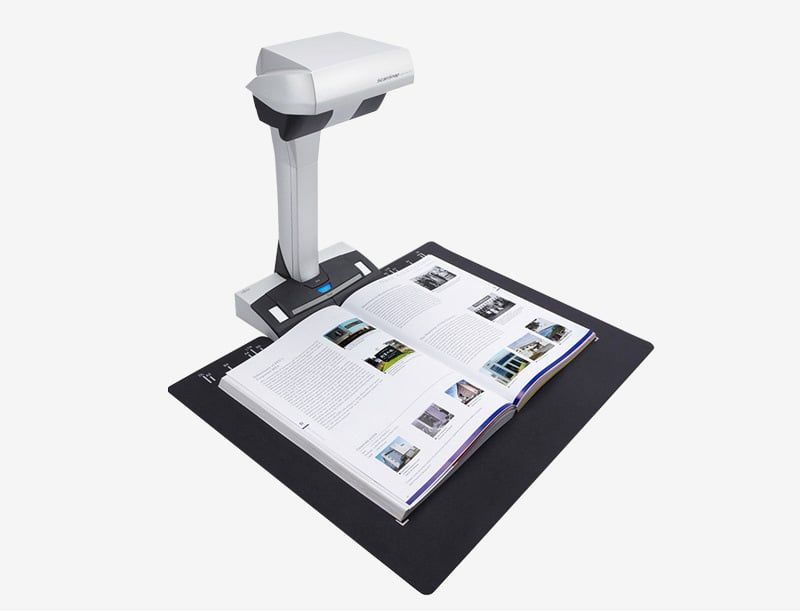
The SV600 is a contactless scanner. Instead of pressing material onto a scanning bed, it captures pages from above. That makes it useful when preserving the physical object matters as much as digitizing it.
Ricoh documentation lists page-turn detection and book-image correction as part of the workflow. Professional and public user feedback generally supports its usefulness for books and unusual originals, while also mentioning software learning curve, cropping issues in some situations and its large footprint.
You gain contactless handling, less pressure on fragile material and a workflow designed around books and large originals. You give up portability, lower cost and some scanning speed compared with faster camera-based overhead systems.
Choose the SV600 when the question is not just “How quickly can I scan this?” but also “How carefully do I need to handle the original?”
View on RicohThe OpticBook 4800 takes a different approach from CZUR and ScanSnap. It is still a flatbed scanner, but its scanning surface sits close to the edge of the unit. That lets the book spine sit closer to the glass and reduces the gutter shadow and distortion common with ordinary flatbeds.
Plustek documentation lists a 2 mm book edge, CCD scanning and support for searchable document workflows. This gives the OpticBook a clear role: it is not trying to beat overhead scanners on page-turning speed. It is for users who prefer flatbed image capture but need a flatbed that was actually designed around books.
You gain traditional flatbed capture, better handling of book spines than a standard flatbed and a scanner designed specifically for bound material. You give up A3 support, faster whole-book workflows and hands-off page capture.
Choose the OpticBook 4800 if you prefer the predictability of a flatbed but find ordinary scanners frustrating for bound books.
View on PlustekThe V39 II is the least specialized scanner here. That is exactly why it belongs in this guide. If book scanning is only one small part of what you do, buying a dedicated overhead scanner may be unnecessary. A conventional flatbed can handle occasional pages while still working for photos and everyday documents.
Epson positions the V39 II as a compact general-purpose flatbed for photos and documents, with a lid designed to accommodate bulkier originals. Public reviews generally support its ease of use and image quality for normal scanning tasks, although software and automatic cropping can be inconsistent in some workflows.
You gain much lower cost, general-purpose use and a simple flatbed workflow. You give up whole-book efficiency, specialized spine handling and overhead scanning and page-flattening tools.
Choose the V39 II if you only scan books occasionally. If you are scanning hundreds of book pages every month, it will probably make the limitation obvious very quickly.
10 / Evidence transparency
Useful for product capabilities, form factor and design intent. It does not prove real-world performance in every workflow.
Useful for practical strengths and limitations where independent coverage is available.
Useful for recurring operational friction, such as lighting, cropping, software or desk-space concerns.
Evidence is not a product score. It helps explain the confidence and limits behind a product’s intended fit.
11 / Methodology
We reviewed manufacturer specifications, professional reviews, available independent testing and public user feedback, with particular attention to book handling, OCR workflow, scanning volume, image requirements, portability and trade-offs.
Nolmira did not personally test these scanners.
12 / Final decision